
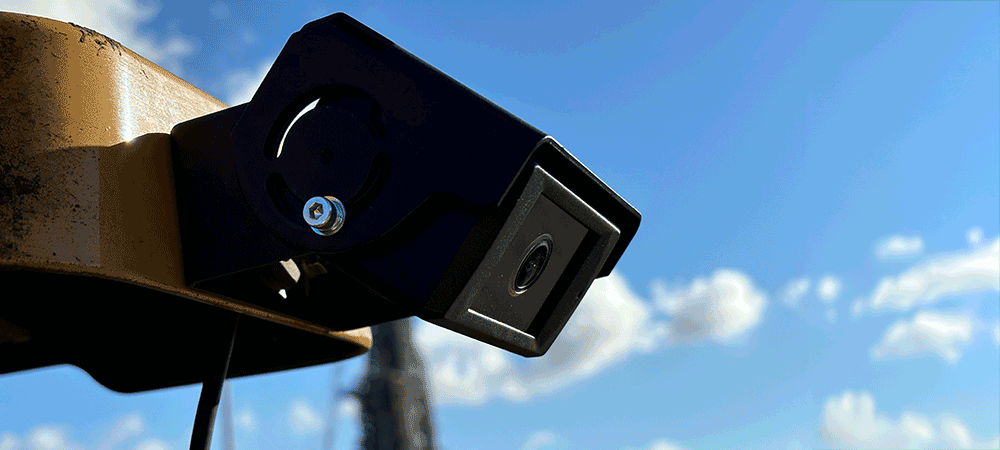
AI-powered cameras identify collision risks in real time and alert operators through an intuitive, color-coded display.
AI-powered cameras identify collision risks in real time and alert operators through an intuitive, color-coded display.
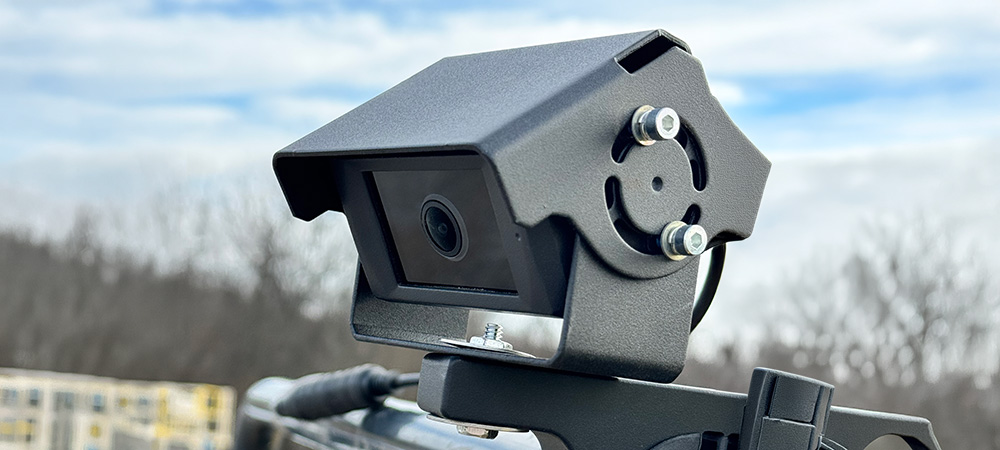
Get a QuoteVision360 is an AI-powered camera system designed to detect people and vehicles around heavy machinery. Mounted at strategic points on the vehicle, Vision360 cameras continuously analyze their surroundings and alert operators through an intuitive, colour-coded in-cab display.
Unlike traditional camera-only systems that rely on the operator watching a screen, Vision360 actively identifies risks and draws the operator's attention to them. Combined with optional Proximity Warning Core integration, Vision360 delivers a layered safety solution suitable for construction, mining, waste management, logistics, and any environment where vehicles operate near people.
Operators have full visbility around their machine through the in-cab touch screen display.

Advanced AI detects all humans in its line of sight, and can be configured to identify a range of vehicles.

Real-time camera feeds accessible from the in-cab display or remotely via the Insights Platform.

Go back and download any historical clip from any Vision360 equipped machine.

Intuitive green-amber-red display for graduated risk response and reduced alarm fatigue.

Combine Vision360 with Proximity Warning Core tag detection for dual-layer protection.
AI-powered cameras mounted at strategic points on the vehicle continuously analyze their field of view. The system calculates the distance between the detected object and the vehicle, then displays a graduated, color-coded warning.
Object detected but at a safe distance. No action required. The driver has full awareness of the surrounding area.
Object approaching the warning threshold. Driver should increase awareness and prepare to take action if the object continues to approach.
Object within the critical danger zone. Audible alarm sounds and immediate action is required. The system logs the event for review.

Every Vision360 system connects to SensorZone's cloud-based Insights Platform, giving safety managers complete visibility across their entire fleet. Access live camera feeds, download historical video clips, review AI detection events, and generate reports - all from a single dashboard.
Live camera streaming
Remotely view live feeds from any camera on active machine.

Historical clips
Simply select your machine, date and time to download any historical clip.
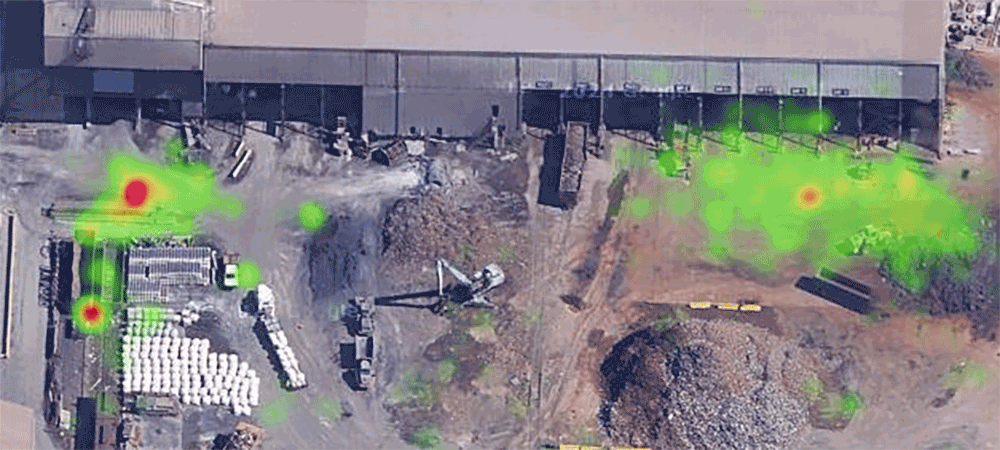
Detection zones
See which areas of each machine are causing the most detections to help prevent unsafe approaches.
Members of the public may enter the operating area, such as retail sites, roadside works, or public waste facilities.
The site has frequent contractor or visitor rotation, making universal tag distribution impractical. Vision360 works immediately after installation.
You need to eliminate blind spots on vehicles with known visibility limitations. Vision360 covers areas that mirrors cannot reach.
Vision360 requires no other infrastructure and works immediately after installation. Add camera-based protection to a site already using Proximity Warning Core for tagged workers.
Request a live demo and see how Vision360 AI camera technology can eliminate blind spots and protect everyone on your site.
Detection Technology
AI Camera
Object Detection
People and vehicles
Detection Range
Up to 20 metres
Alert Zones
3 configurable (Green, Amber, Red)
In-Cab Display
7" touch screen with live camera feed
Video Streaming
Live streaming + on-demand clip download
Operating Temperature
-20°C to +60°C
IP Rating
IP67
Data Output
Insights sync, API, CSV export
Yes. Vision360 cameras are equipped with infrared illumination and low-light sensors, allowing the AI detection algorithms to identify people and objects in darkness, fog, and other low-visibility conditions common in industrial environments.
The AI model is trained to distinguish human figures from static objects such as barriers, cones, and equipment. The machine-learning algorithms are continuously refined to minimize false positives and ensure that genuine risks are always flagged.
Vision360 supports multiple camera configurations depending on the vehicle size and blind-spot requirements. A typical setup uses four cameras covering front, rear, left, and right. Larger vehicles can accommodate additional cameras.
Yes. Many SensorZone customers deploy Vision360 and Proximity Warning Core together as a layered proximity warning strategy. Proximity Warning Core handles precise identification of tagged workers, while Vision360 covers untagged individuals and objects. Both systems share a single in-cab display, and all data from both sources flows into the Insights Platform for unified reporting.
Vision360 cameras detect people and objects at distances relevant to the vehicle's operating speed and stopping distance. The detection range varies by camera configuration and mounting position, but typical setups provide effective coverage from directly adjacent to the vehicle out to approximately 20 metres. The graduated green-amber-red alert system gives the operator proportional warning based on distance.
Vision360 cameras are IP67-rated, meaning they are fully protected against dust ingress and water immersion. The cameras are designed for industrial environments and operate reliably in rain, dust, fog, and temperature extremes. For low-light and nighttime operation, the cameras include infrared illumination to maintain detection accuracy.
Vision360 continuously records from all onboard cameras. Safety managers can access video clips directly from the Insights Platform without needing to scroll through hours of continuous footage. Video can be downloaded for analysis, incident investigation or compliance documentation.
Vision360 installation is typically completed in a couple of hours per vehicle, depending on the number of cameras and the vehicle type. Our engineers handle the full installation including camera mounting, wiring, in-cab display setup, and system calibration. Vision360 requires no tag infrastructure, so it works immediately after installation with no additional site setup needed.

