
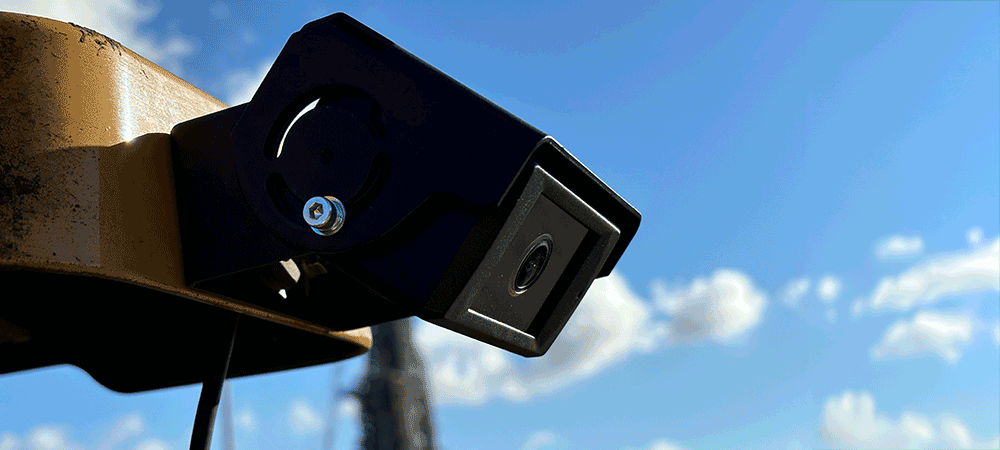
Les caméras IA identifient les risques de collision en temps réel et alertent les opérateurs grâce à un écran intuitif en code couleur.
Les caméras IA identifient les risques de collision en temps réel et alertent les opérateurs grâce à un écran intuitif en code couleur.
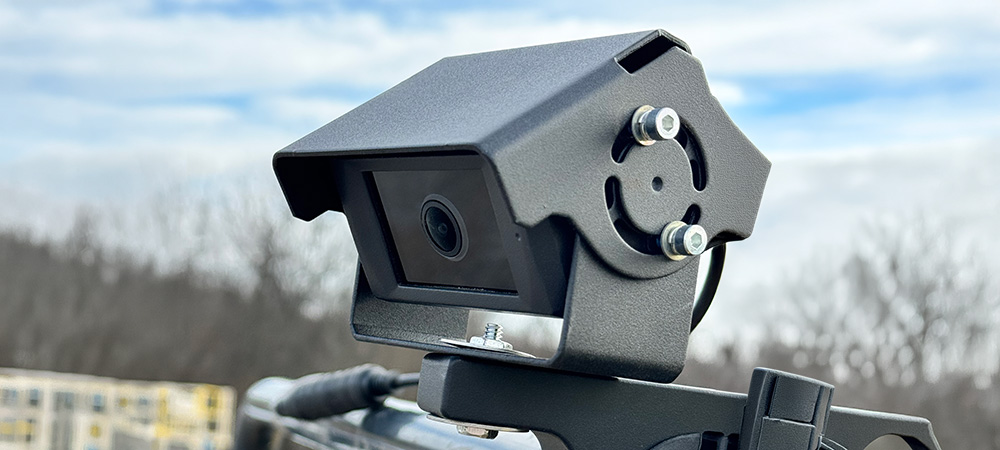
Obtenir un devisVision360 est un système de caméras IA conçu pour détecter les personnes et les véhicules autour des engins lourds. Installées à des points stratégiques du véhicule, les caméras Vision360 analysent en continu leur environnement et avertissent les opérateurs via un écran en cabine intuitif en code couleur.
Contrairement aux systèmes traditionnels à base de caméras seules, qui obligent l'opérateur à surveiller un écran, Vision360 identifie activement les risques et attire l'attention de l'opérateur dessus. Associé à l'intégration optionnelle avec Proximity Warning Core, Vision360 offre une solution de sécurité multicouche adaptée au BTP, aux mines, à la gestion des déchets, à la logistique et à tout environnement où des véhicules évoluent à proximité de personnes.
Les opérateurs bénéficient d'une visibilité complète autour de leur machine grâce à l'écran tactile en cabine.
Notre IA avancée détecte tous les humains dans son champ de vision et peut être configurée pour identifier différents types de véhicules.

Flux caméra en temps réel accessibles depuis l'écran en cabine ou à distance via l'Insights Platform.

Revenez en arrière et téléchargez tout clip passé depuis n'importe quelle machine équipée de Vision360.
Affichage intuitif vert-ambre-rouge pour une réponse graduée au risque et une fatigue d'alarme réduite.

Associez Vision360 à la détection par tag Proximity Warning Core pour une protection en double couche.
Les caméras IA installées à des points stratégiques du véhicule analysent leur champ de vision en continu. Le système calcule la distance entre l'objet détecté et le véhicule, puis affiche un avertissement gradué en code couleur.
Objet détecté mais à distance sûre. Aucune action requise. Le conducteur garde une parfaite conscience de l'environnement.
Objet se rapprochant du seuil d'avertissement. Le conducteur doit redoubler d'attention et se préparer à agir si l'objet continue de s'approcher.
Objet dans la zone de danger critique. Une alarme sonore retentit et une action immédiate est requise. Le système enregistre l'événement pour analyse.

Chaque système Vision360 se connecte à l'Insights Platform cloud de SensorZone, offrant aux responsables sécurité une visibilité complète sur l'ensemble de leur flotte. Accédez aux flux caméra en direct, téléchargez les clips vidéo passés, consultez les événements de détection IA et générez des rapports, le tout depuis un seul tableau de bord.
Diffusion caméra en direct
Consultez à distance les flux en direct de toute caméra sur une machine en service.

Clips passés
Sélectionnez simplement votre machine, la date et l'heure pour télécharger n'importe quel clip passé.
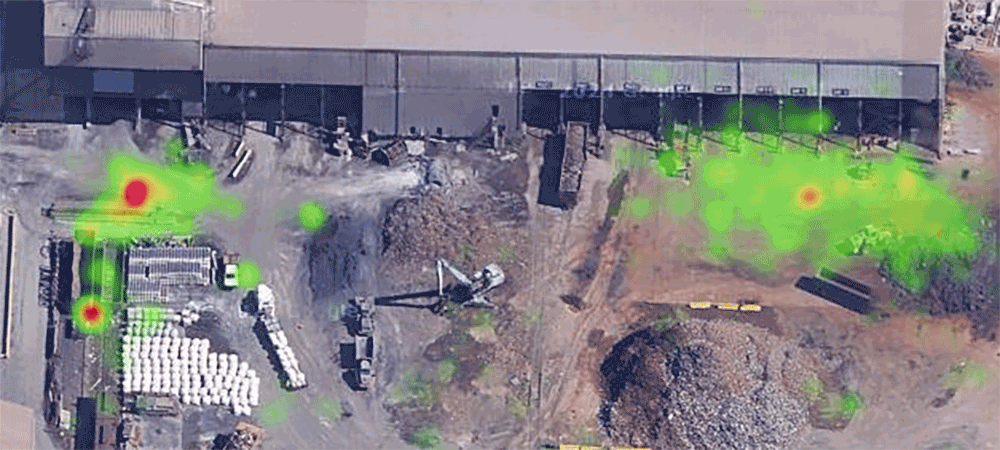
Zones de détection
Voyez quelles zones de chaque machine génèrent le plus de détections pour mieux prévenir les approches dangereuses.
Le grand public peut entrer dans la zone d'exploitation, par exemple sur les sites commerciaux, les chantiers en bord de route ou les déchetteries publiques.
Le site connaît une rotation fréquente de sous-traitants ou de visiteurs, ce qui rend irréaliste la distribution universelle de tags. Vision360 fonctionne dès l'installation.
Vous devez éliminer les angles morts sur des véhicules dont les limites de visibilité sont connues. Vision360 couvre des zones inaccessibles aux rétroviseurs.
Vision360 ne nécessite aucune autre infrastructure et fonctionne dès l'installation. Ajoutez une protection par caméra à un site qui utilise déjà Proximity Warning Core pour les travailleurs équipés de tags.
Demandez une démonstration en direct et voyez comment la technologie de caméras IA Vision360 peut éliminer les angles morts et protéger toutes les personnes présentes sur votre site.
Technologie de détection
Caméra IA
Détection d'objets
Personnes et véhicules
Portée de détection
Jusqu'à 20 mètres
Zones d'alerte
3 configurables (verte, ambre, rouge)
Écran en cabine
Écran tactile 7" avec flux caméra en direct
Diffusion vidéo
Diffusion en direct + téléchargement de clips à la demande
Température de fonctionnement
-20 °C à +60 °C
Indice IP
IP67
Sortie de données
Synchronisation Insights, API, export CSV
Oui. Les caméras Vision360 sont équipées d'un éclairage infrarouge et de capteurs basse lumière, ce qui permet aux algorithmes de détection IA d'identifier personnes et objets dans l'obscurité, le brouillard et d'autres conditions de faible visibilité courantes dans les environnements industriels.
Le modèle d'IA est entraîné à distinguer les silhouettes humaines des objets statiques tels que barrières, cônes et équipements. Les algorithmes d'apprentissage automatique sont affinés en continu pour réduire au maximum les faux positifs et garantir que les risques réels sont toujours signalés.
Vision360 prend en charge plusieurs configurations de caméras en fonction de la taille du véhicule et des besoins liés aux angles morts. Une configuration typique comprend quatre caméras couvrant l'avant, l'arrière, la gauche et la droite. Les véhicules de plus grande taille peuvent accueillir des caméras supplémentaires.
Oui. De nombreux clients SensorZone déploient Vision360 et Proximity Warning Core conjointement pour mettre en place une stratégie d'avertissement de proximité multicouche. Proximity Warning Core assure l'identification précise des travailleurs équipés de tags, tandis que Vision360 couvre les personnes et objets non équipés. Les deux systèmes partagent un même écran en cabine et toutes les données des deux sources sont consolidées dans l'Insights Platform pour un reporting unifié.
Les caméras Vision360 détectent personnes et objets à des distances adaptées à la vitesse de travail et à la distance de freinage du véhicule. La portée de détection varie selon la configuration caméra et la position de montage, mais les configurations types offrent une couverture efficace depuis le pourtour immédiat du véhicule jusqu'à environ 20 mètres. Le système d'alerte gradué vert-ambre-rouge avertit l'opérateur de manière proportionnée à la distance.
Les caméras Vision360 sont certifiées IP67, ce qui signifie qu'elles sont totalement protégées contre la pénétration de la poussière et l'immersion dans l'eau. Elles sont conçues pour les environnements industriels et fonctionnent de manière fiable sous la pluie, dans la poussière, le brouillard et les températures extrêmes. Pour le fonctionnement en faible luminosité et de nuit, les caméras intègrent un éclairage infrarouge pour maintenir la précision de détection.
Vision360 enregistre continuellement a partir de toutes les cameras a bord. Les responsables securite peuvent acceder aux clips video directement depuis l'Insights Platform sans devoir parcourir des heures de flux continu. Les videos peuvent etre telechargees pour analyse, enquete incident ou documentation conformite.
L'installation de Vision360 est generalement realisee en quelques heures par vehicule, selon le nombre de cameras et le type de vehicule. Nos ingenieurs gerent l'installation complete, y compris le montage des cameras, le cablage, la configuration de l'ecran en cabine et l'etalonnage du systeme. Vision360 ne necessite aucune infrastructure de tags, elle fonctionne donc immediatement apres l'installation sans configuration de site supplementaire.

